
Recovery phrase
A recovery phrase is an account recovery method. Unlike other recovery options, it lets you reset your password and recover your account data (emails, calendars, contacts, files, passwords) at the same time. That’s why we strongly recommend enabling it and storing it somewhere safe.
In this article
- How it works
- How to enable your recovery phrase
- How to store your recovery phrase safely
- How to use your recovery phrase
How it works
A recovery phrase is a 12-word sequence that acts as a one-time backup password for your account. If you get locked out of your account, it will allow you to reset your password and recover your encrypted data.
- If you downloaded a Recovery Kit when you created your account, you’ll find your recovery phrase there.
- Alternatively, you can enable, disable, or generate a new recovery phrase in your account settings.
How to enable your recovery phrase
- Sign in to account.proton.me. Go to Settings ⚙️ → All settings.

- Select Recovery from the sidebar and scroll to Data recovery. Toggle Allow recovery by recovery phrase on.
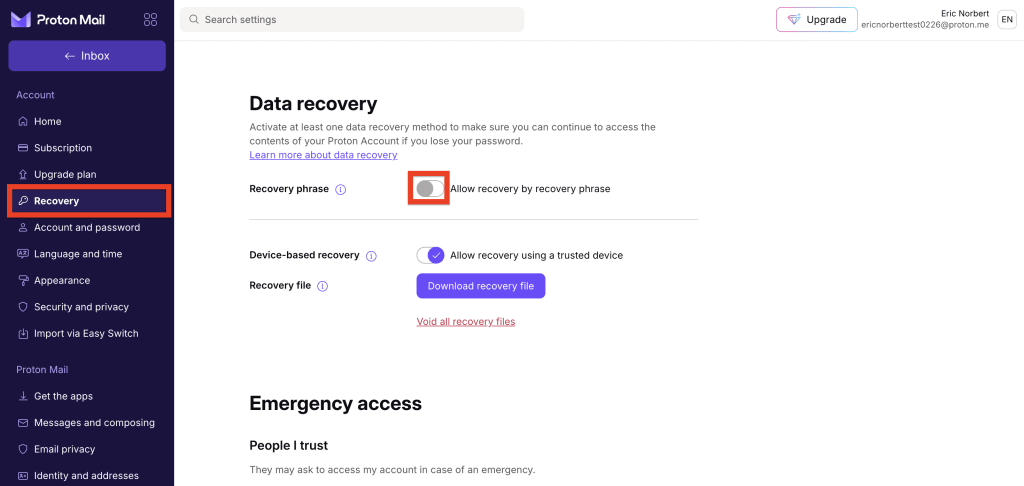
Despite being listed under Data recovery, your recovery phrase also serves as a password reset method.
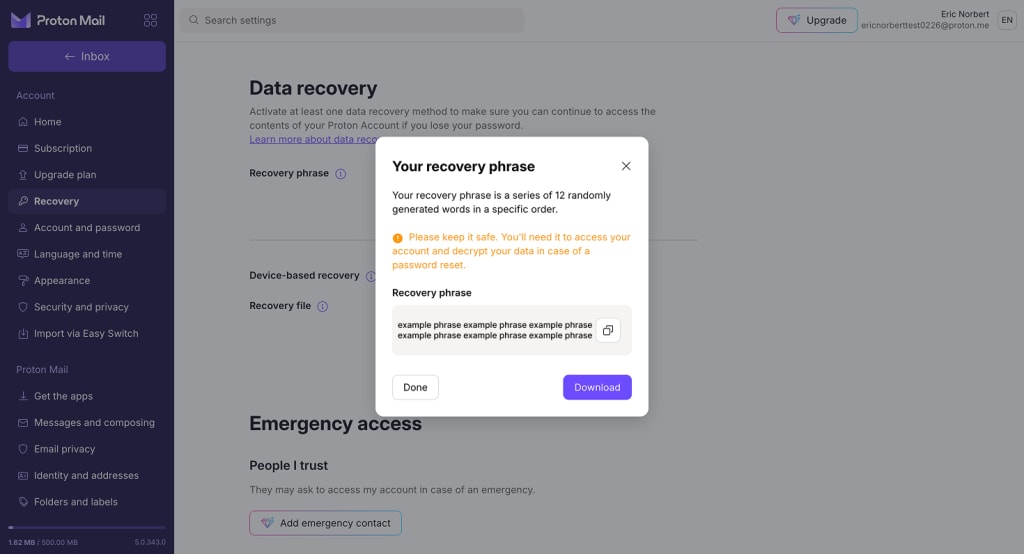
- Enter your password and click Authenticate. This will generate your 12-word recovery phrase.
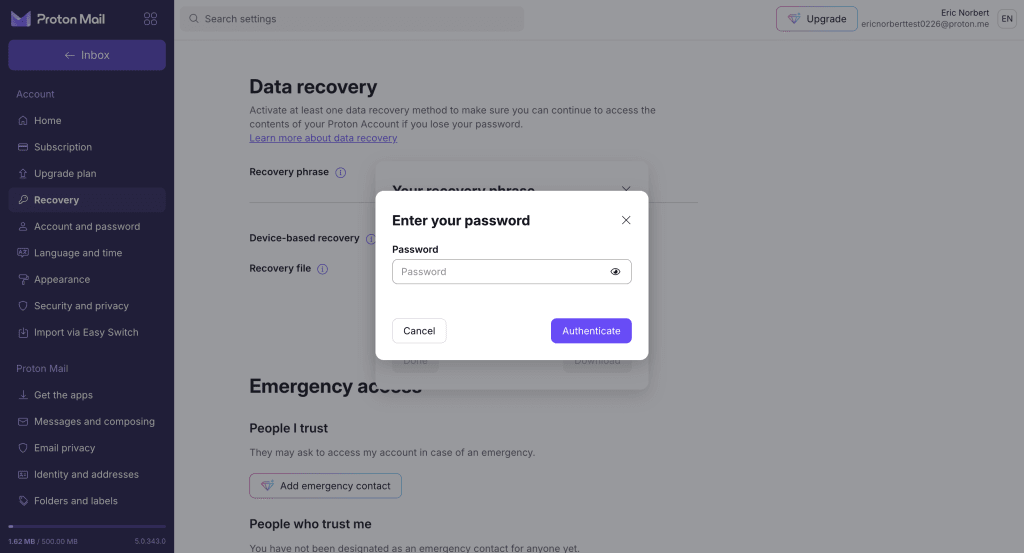
That’s it. Your recovery phrase is now active and can be used to recover your account and data. Make sure you keep it somewhere safe.
How to store your recovery phrase safely
Your recovery phrase must be kept somewhere secure but accessible. Don’t leave it somewhere where it could be lost, or in a location that you could easily forget.
You might want to print it off and store it in a safe (or wherever you keep important documents). If you’d rather store it digitally, try an encrypted password manager or cloud storage.
We’d usually recommend Proton Drive or Proton Pass, but not for this. You won’t be able to access any Proton services if you get locked out.
How to use your recovery phrase
If you lose your password, your recovery phrase can unlock your account and its data. For detailed instructions, please visit these guides: